
Visualization & Extraction of Data
One can view or extract all the available data points of the data series in different formats.In order to extract and analyse the data , one should first search/filter for the specific type of data points of the data series of the domain.The result of the search/filter criteria will be displayed under the Table tab which can also be extracted through the Export tab.
Table Tab
In order to view the data points of the selected data series in tabular format, Click the Table tab which is found at the bottom of the page.
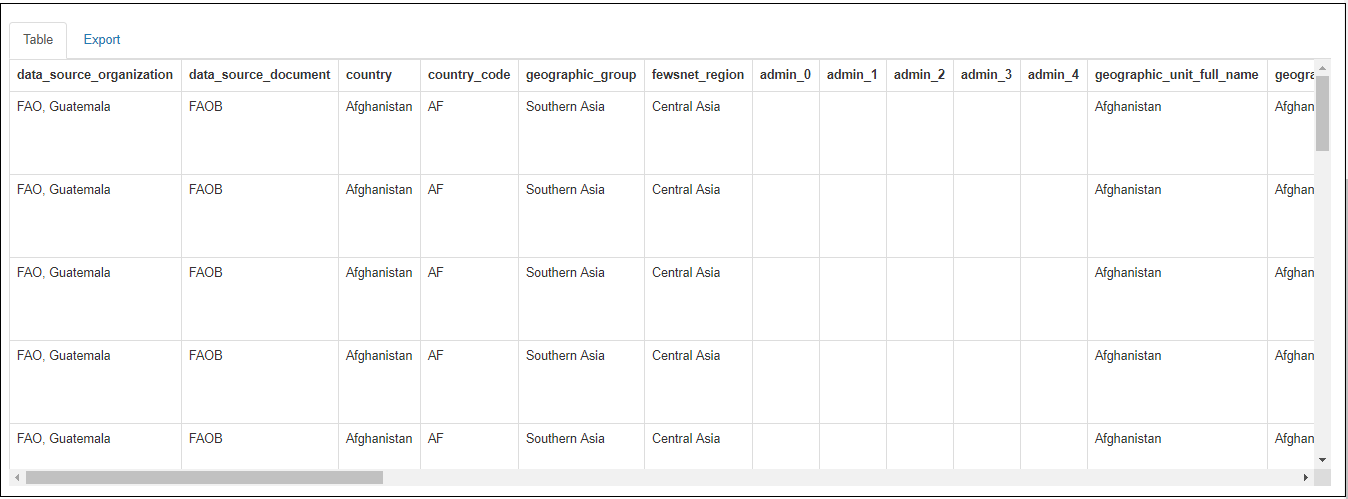
Figure: Selected data in tabular format
Export Tab
To download the data in CSV format ,click the Export tab which is found at the bottom of the page. Click the “Download CSV as” drop down button to download the data and then the option Flat format will pop up . The user can download the selected data in Flat format by clicking on the option Flat format.
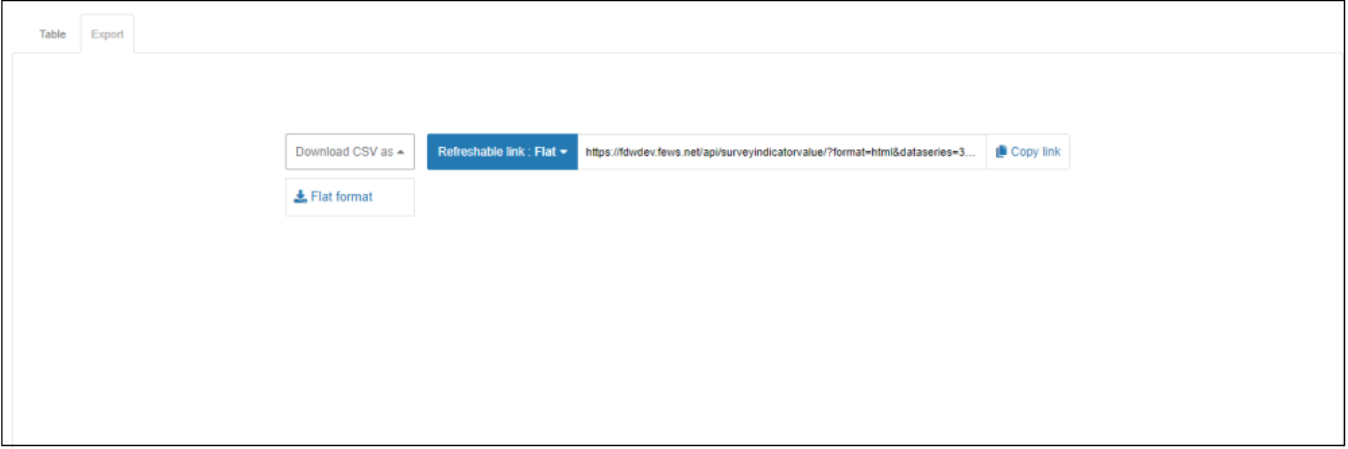
Figure: Export option of the selected data
To download the Refreshable link to Flat format,select the Flat format from the button Refreshable link. And click on the Copy link. The system copies the link to the Refreshable link into the your local clipboard and you can past this link to a browser to open the refreshable data.