
Updating Data sets
To update or edit any of the parameters of the saved data sets , click on the button VIEW SAVED DATA SETS button from the data series view page. List of the available data sets will be shown.
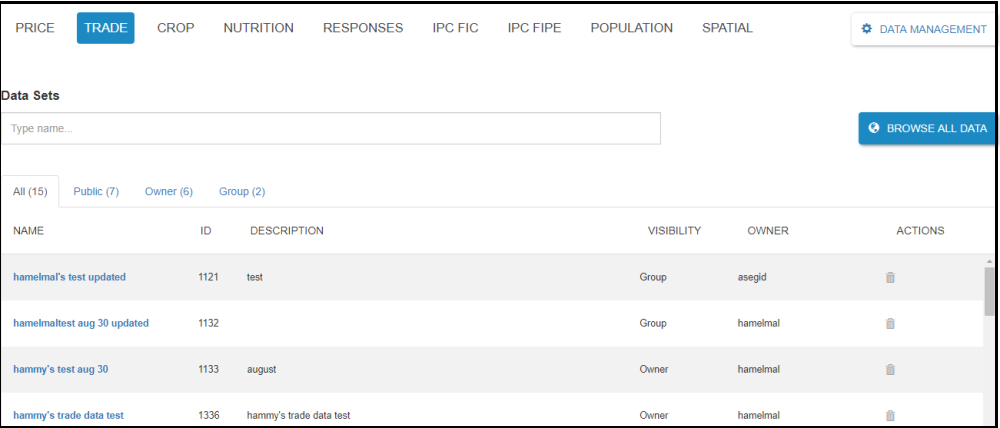
Figure: List of available data sets screen
Enter the name of the Data set or ID that you need to view or edit on the Data sets search box. Click on the name of the data set which will be returned as a result of the search. The detail information of the data set will be opened.
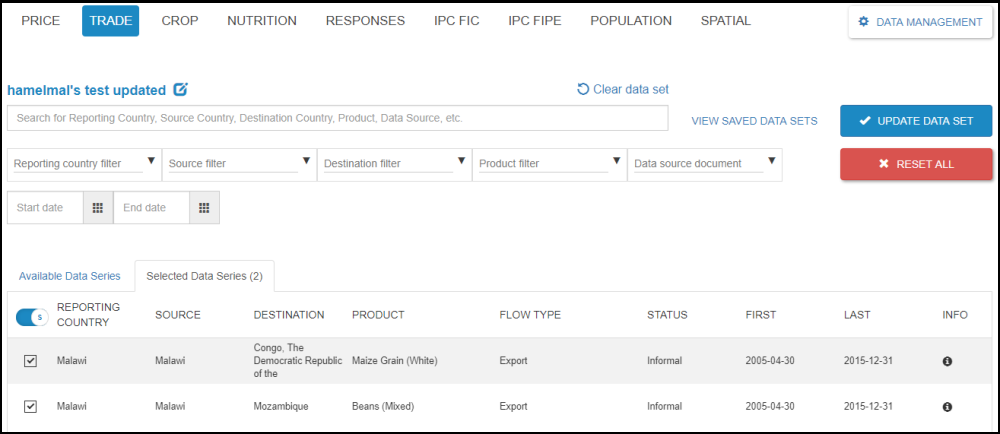
Figure: Detail information of the saved data set
Click on the name of the saved data set to edit the detail information of the data set. Edit the parameters that you want to change and click the Save button. You will get a notification message that the ” Data set was successfully updated.”
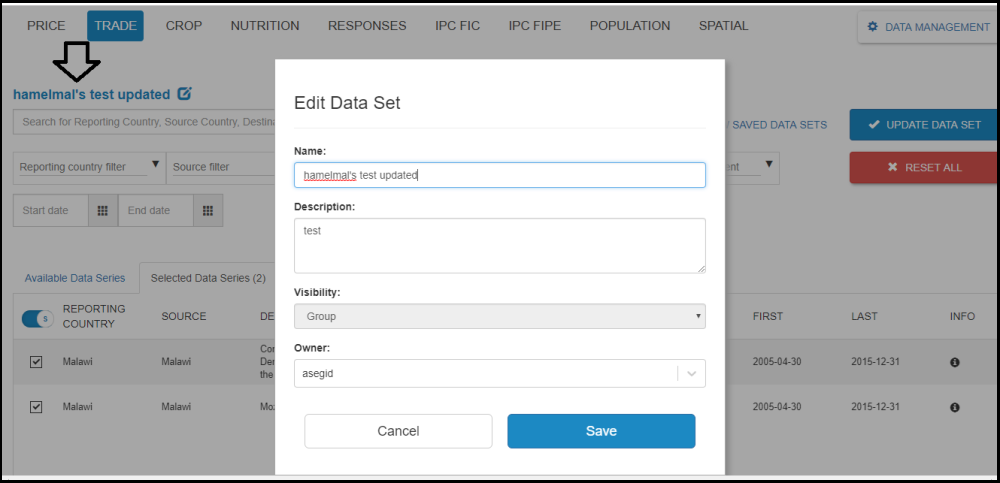
Figure: Data set editing dialog box screen
If one wants to add/remove the selected data series or add/remove the filter criteria from the saved data set. Check/uncheck the check box which is found in front of each records of the data series or select any of the criteria from the filter drop downs and click the UPDATE DATA SET button.
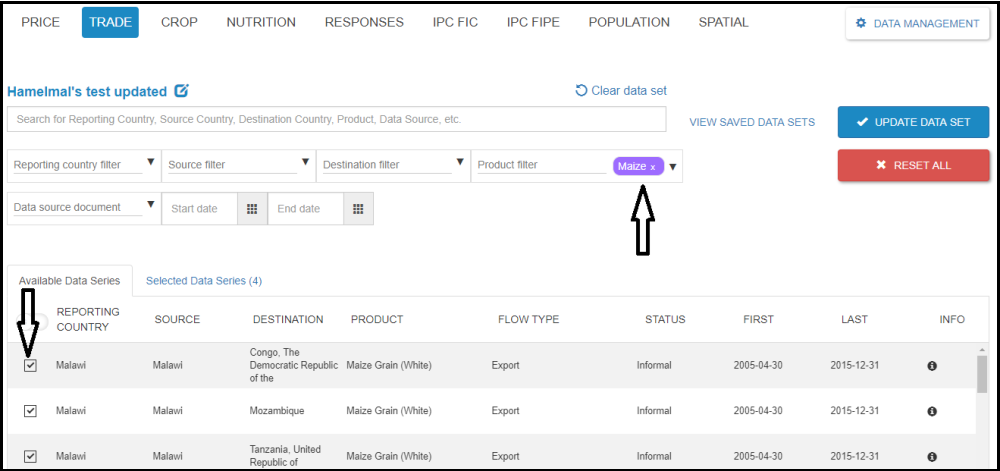
Figure: Data set updating screen
A confirm action dialog box appears and next click the Update button.A notification message “Data set was successfully updated” will pop up.