
Data Series View page
List of the data series of the price data domain can be accessed from this page.
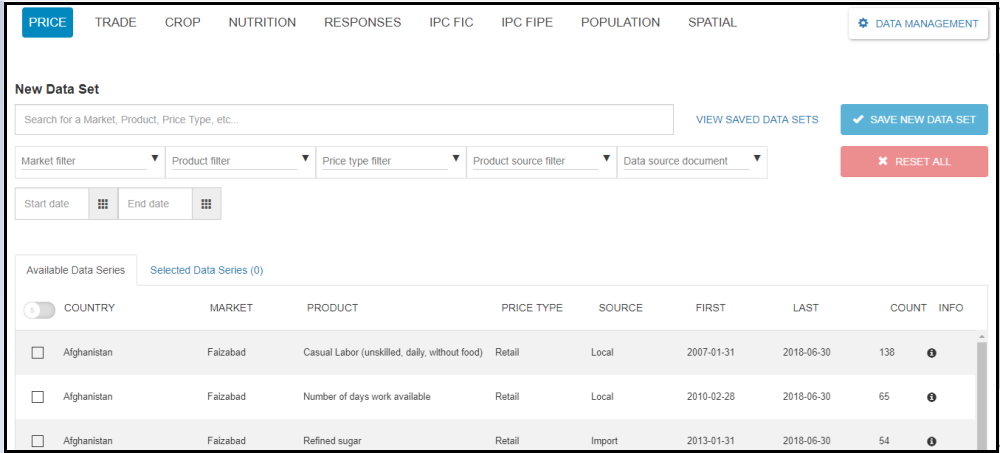
Figure: Data series view screen
As it can be seen on the above screenshot, the data domain has two tabs. The first is the Available Data Series which contains all the list of the data series of the price data domain and the other is the Selected Data Series which contains the list of the selected data series with their total count.
The user can select all the available data series by clicking the Select all button or can select the specific data series by clicking the checkbox which is located in front of each data series .The selected data series with their count will be displayed under the Selected Data Series Tab as shown below.
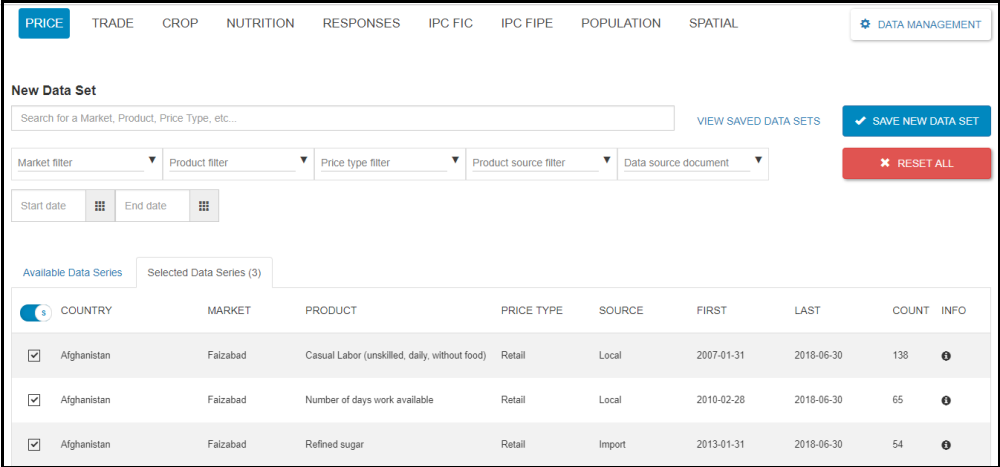
Figure: Selected data series screen
Data set view page
This page allows to view the available/saved data sets in the system.
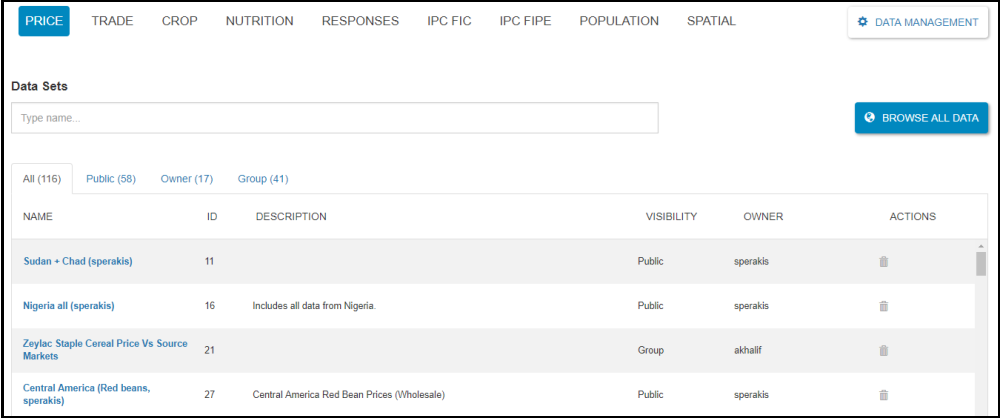
Figure: Data set view screen
One can click the BROWSE ALL DATA button to return back or view the list of the data series in the domain.