Searching of Data series and Data sets
Once can search for a specific data series or data set from the list available in the system.
Searching for Data series
To search for the specific data series of the price data, one can use any of the column information (i.e Country , Market name , Product ,Price type etc.) displayed on the header of the data domain.
In order to search for the specific data series, enter the search term on the search text box and the search results will pop-up automatically .From the search result displayed, one can select the specific data series by clicking the check box which is displayed in front of the record of the data series.
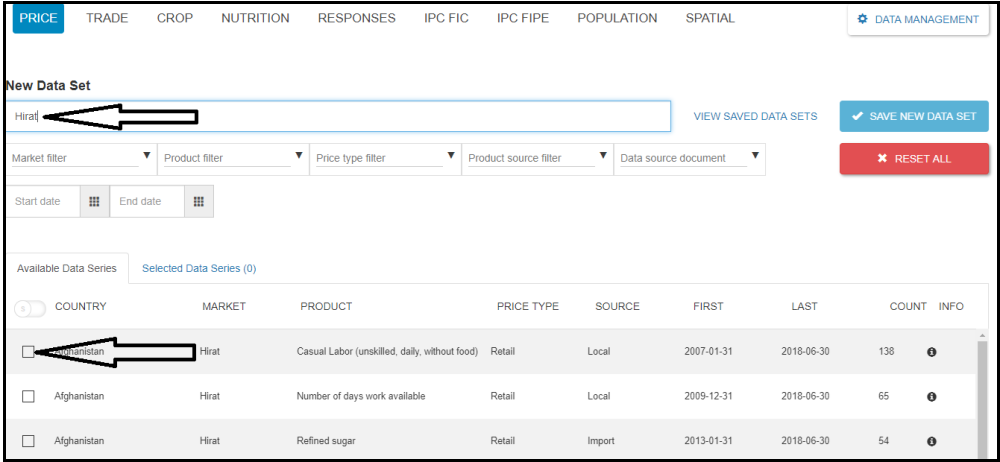
Figure: Data series view screen
One can click the RESET ALL button to clear the search term from the data series view page of the search box.
Searching for Data sets
To search for the specific data set , click the VIEW SAVED DATA SETS button from the data series view page. List of the available data sets of the data domain will be displayed.
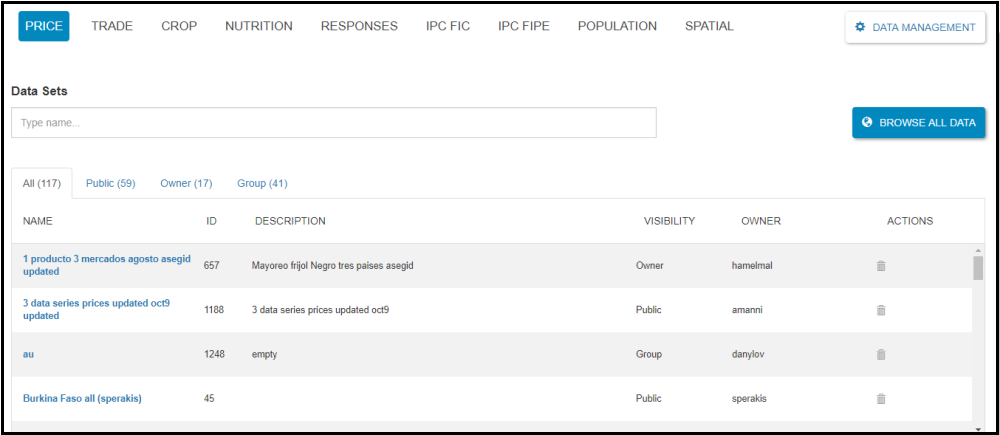
Figure: Data set view screen
As you can see it in the above screenshot,the data set view screen contains the following tabs:
All - shows all data sets accessible to you.
Public - all data sets that are accessible to all users.
Owner - the data sets created by you or by others that set your username as the owner of the data set.
Group - data sets that are accessible to groups that you are a member of.
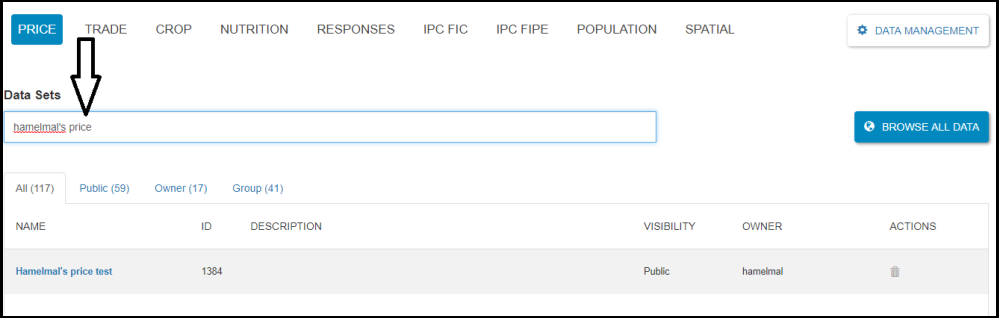
Type the name of the data set or ID on the search box of the Data sets. The result of the search will be displayed. One can click on the search result to edit the data set or can delete the data set by clicking the Delete button under the ACTIONS column.