
Detail Audit Trail
Clicking the ‘History’ button on market product screen from the current production system on the right hand corner now provides an audit trail as follows:
1. It shows:
Who made a change to the record and
When they made it
What field they changed
Without knowing:
What they actually changed or
If the change happens on the database itself or this front end.
It only works for changes that are made through this admin screen. Therefore for much of the historic data we do not have a trail.
It used to be the case that:
Changes as a result of an import, for example, did not get registered here.
Changes that were the result of submit or review also did not get logged.
From historic changes we do not have any more information.
2. From this month onwards the ‘Historic’ feature will change slightly for those changes made under the column ‘Record’ once the change has been made.
If you hover over the change, it will pop up a small window that shows the full record and highlights the field that was changed and much more usefully will tell you what the new value was.
By comparing this month with last month you can see what was changed each month.
There is no automatic undo functionality, but we do have the data to do and undo. i.e. by looking at the previous value, you may go back into the edit screen and set the old value back again.
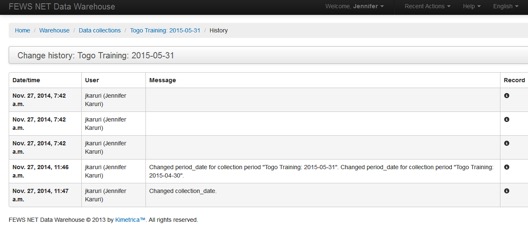
Figure 10. Audit Trail Example
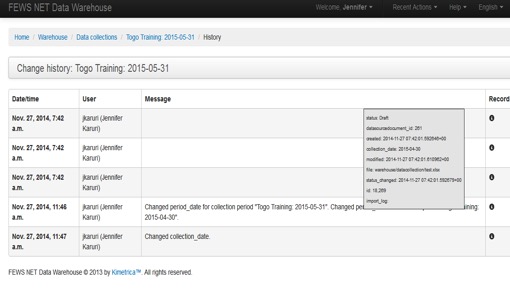
Figure 11. Audit Trail Pop-up after clicking “i”