
Sorting Options
When viewing tables of data, you will see an arrow, X and number above the columns. These allow you to reorder the data. You can also eliminate a column of data from the sort.
Sort by toggling with the arrow above a column.
Remove a category from the sort option by clicking on the X above the column.
Reorder the Sort by changing the numbers in the middle of the X and arrows.
Click on one of the numbers at the bottom of the screen to move forward or backward through the list of data.
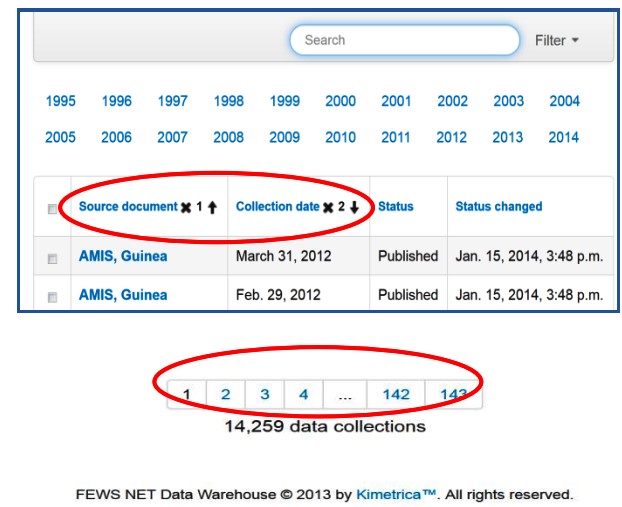
Figure 7. Sorting Options